![Husl_logo_strapline-TM (4).png]](https://help.husl.io/hs-fs/hubfs/Husl_logo_strapline-TM%20(4).png?width=120&height=40&name=Husl_logo_strapline-TM%20(4).png)
With the HUSL app, you can easily earn money from professional product sales without holding, storing or managing any inventory. Simply share your unique HUSL product links with your clients and earn 20% commission on every completed sale.
Here’s how it works:
When a client purchases a product through one of your unique HUSL links, they’re automatically connected to you in our system. This means you can continue earning 20% commission on their future product orders, no matter when they shop again.
💰 Turn your social media into an income stream
Your HUSL links are a powerful way to monetise your social media audience.
Instead of simply posting about the products you use and recommend, you can give your followers a direct link to shop the products through you — turning your product recommendations into an additional income stream.
Use your links across:
- 📸 Instagram — add them to your bio, Stories, Link Stickers and posts
- 🎵 TikTok — share your product links with your audience
- 📘 Facebook — add them to posts, your business page or Messenger
- 💬 WhatsApp & Messenger — send product recommendations directly to clients
- 📧 Email — include product links in client emails
- 📱 SMS — send a direct product link after recommending something to a client
- PLUS more!
And because the client is connected to you after their first purchase, you can earn 20% commission on their future orders too.
⚡ It takes seconds
There’s no complicated setup and no extra admin.
Generate your unique HUSL link in around 5 seconds, share it with your client or audience, and let HUSL handle the rest.
No inventory. No packing orders. No chasing payments. Just recommend the products you love and earn from the sales you generate.
There are two easy ways to start drop-shipping:
-
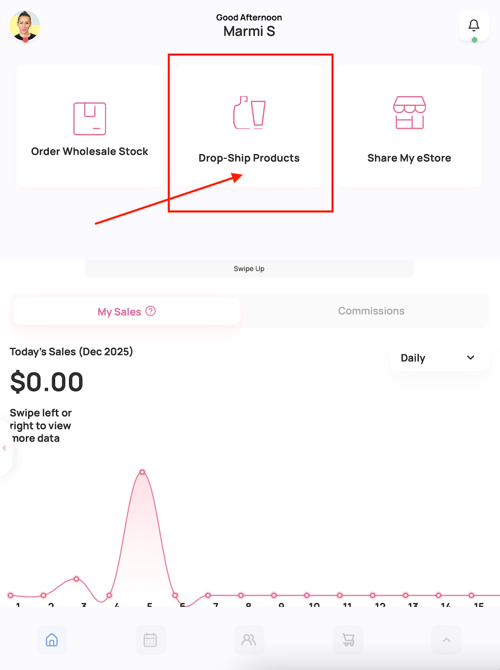
Send a customised product link — great for recommending specific products based on a client’s needs.
OR -
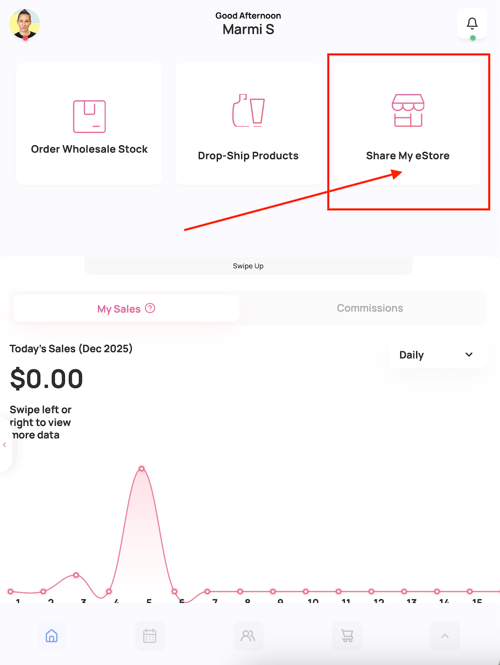
Share your eStore link — so clients can explore over 2,500 hair, skin, makeup, and accessory products, and shop your full HUSL range at their own pace.
💡 Pro Tip: Choose the option that best suits your consultation or conversation style.
✅ Setting Up Your HUSL App for Drop-Shipping
Getting started takes less than 2 minutes!
There are just two things you need to set up in your HUSL app:
-
Add your ABN
-
Go to the Home screen
-
Tap your profile image in the top left
-
Select Business Details and enter your ABN
-
-
Add your nominated bank account
-
Go to the Home screen
-
Tap your profile image in the top left
-
Select Bank Details to add your account for commission payouts
-
Once these two steps are complete, you’re ready to start drop-shipping!
🛍️ Want to see what your eStore/Online Shop looks like?
-
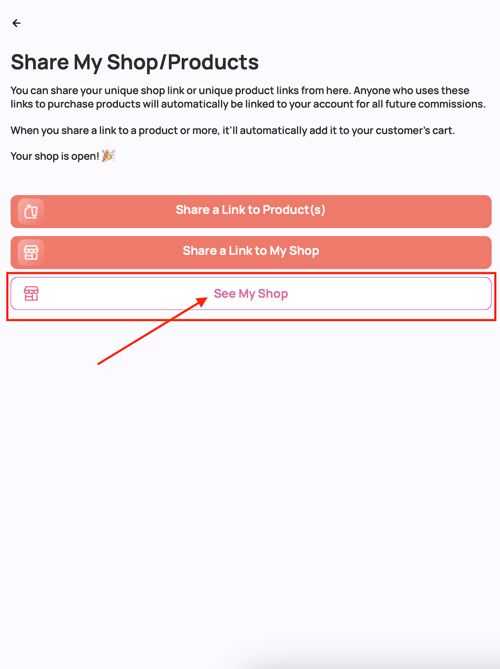
From the Home screen, tap the up arrow in the bottom right
-
Select Share my Shop/Products
-
Tap See My Shop
And YES, you can customise your eStore!
Tap HERE to see how
You'll receive an app notification when someone purchases through either of your unique links.
Only 3 taps in your app to invoice us
🎥 Watch this 40-second walkthrough from Marmi, fellow hairdresser and our Customer Service Manager, to see just how easy it is to get started.
Need Help? Email: indiesupport@husl.io