![Husl_logo_strapline-TM (4).png]](https://help.husl.io/hs-fs/hubfs/Husl_logo_strapline-TM%20(4).png?width=120&height=40&name=Husl_logo_strapline-TM%20(4).png)
Yes! You can display your business or trading name instead of your first and last name in your HUSL-generated links.
How to update your business or trading name
- From the Home screen, tap your profile image in the top-left corner.
- Tap Business Details.
- Complete the Business or Trading Name field.
- Save your changes.
The name entered in this field will be used in the URLs of your HUSL-generated links, including:
- Your online booking link.
- Your eStore link.
- Any individual dropship product links you generate.
If you leave the Business or Trading Name field blank, your first and last name will be used by default.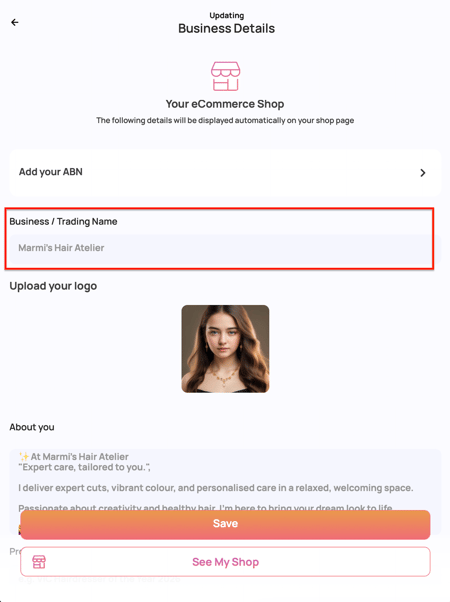
Why is my name included in my HUSL links?
Your name or business name forms part of your unique stylist code, which acts as an identifier linking your URLs to your HUSL account.
This is particularly important for your eStore and dropship product links, as these are uniquely linked to your account to ensure purchases made through your links are correctly attributed to you.
Tip: Use your business or trading name to maintain consistent branding across your HUSL links, website and social media platforms.
Need help?
Email: indiesupport@husl.io